top of page
H&S Simulation and
Resource Center

@TinkerCAD

A free, easy-to-use, web-based software platform for 3D CAD modelling, electronics circuit designing, and coding. Created for children to learn how to design models, build circuits, and code, TinkerCAD is a simple software suitable for users with minimal experience in CAD modelling.
Modelling can't be easier!
PLACE
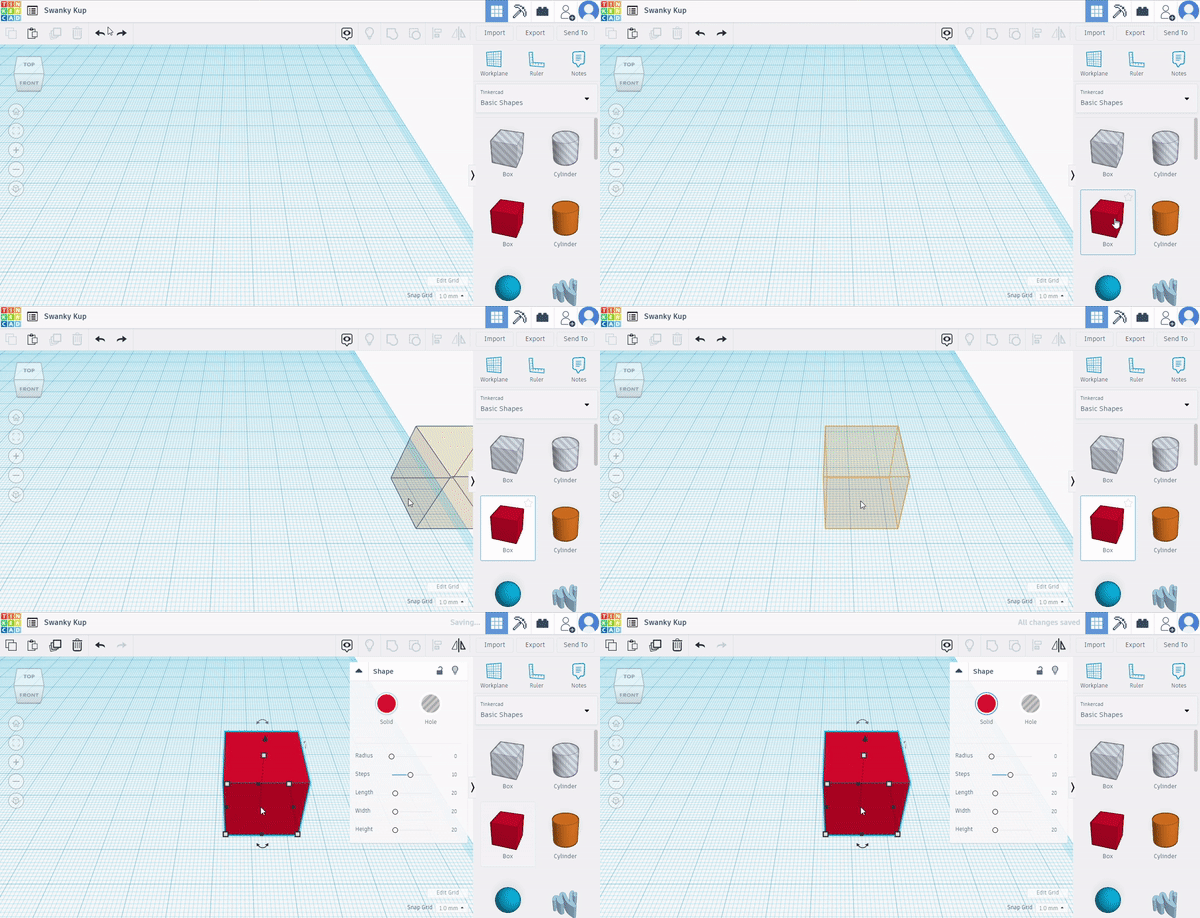
Pick a shape from the Shapes Library. Drag and drop it on to the Workplane.
ADJUST
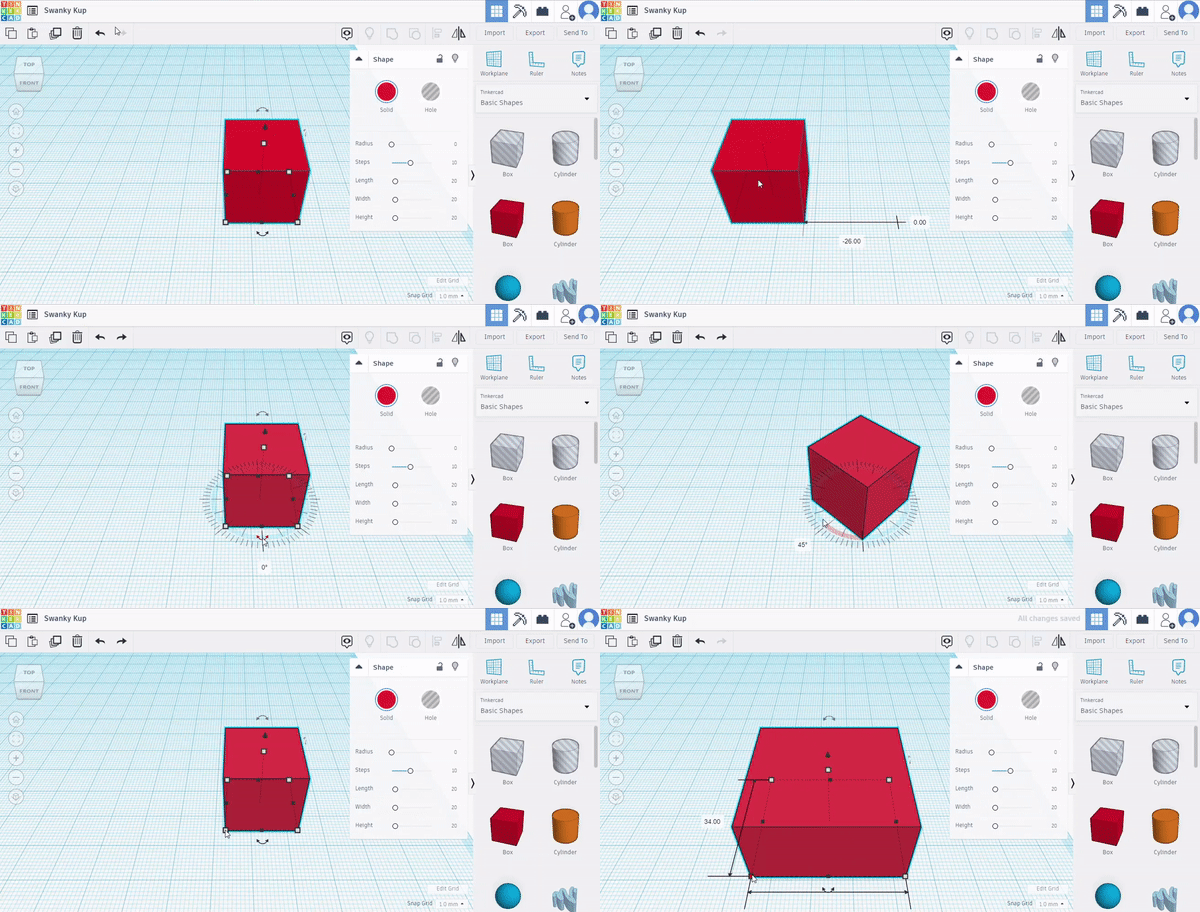
Move, rotate, and resize your shape. Dimensions and angles appear as you adjust your shape.
Combine
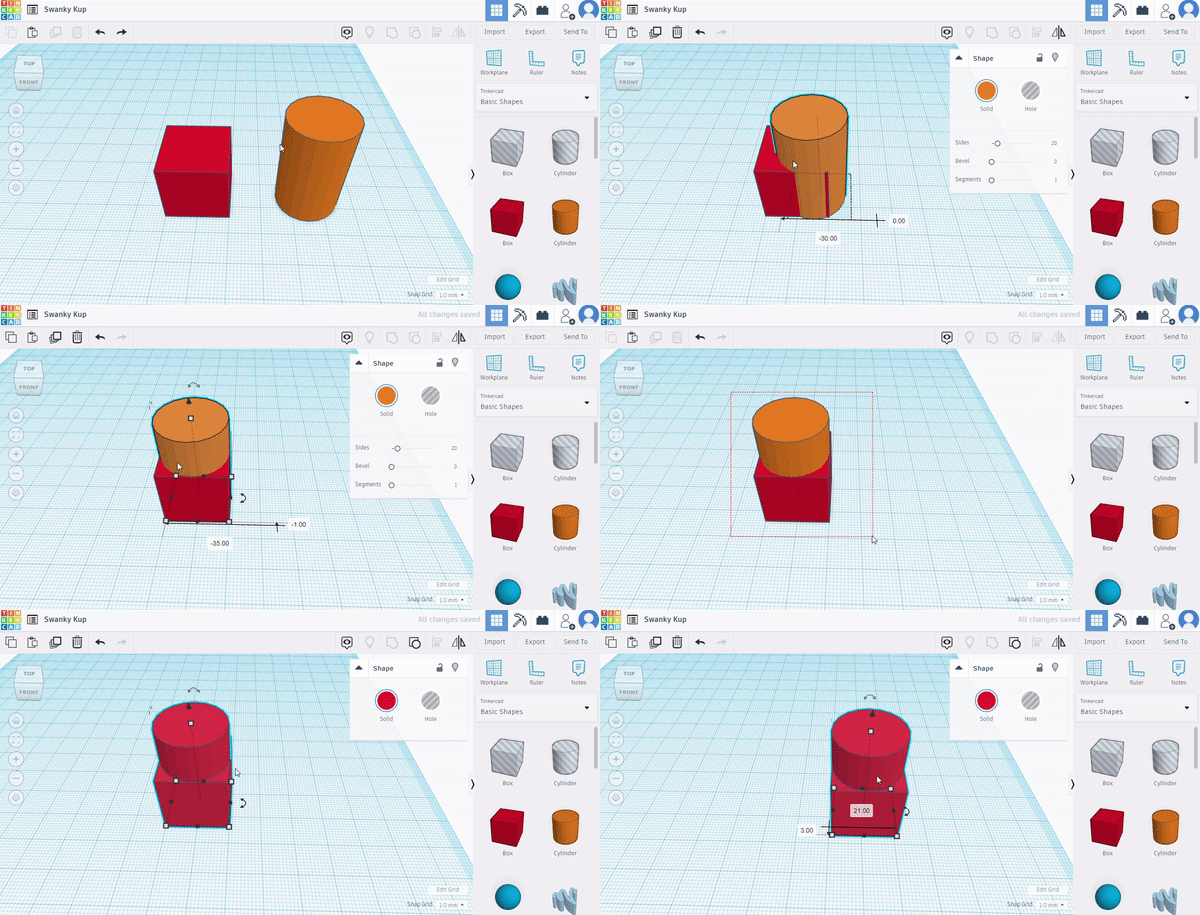
Put two shapes together, highlight them, and press the "Group" button to form a new shape.


bottom of page