H&S Simulation and
Resource Center
Tools and Templates
Tools and templates are created to ease the process for users when using TinkerCAD to create 3D models and using Simscale to set up the simulation project. All tools and templates are shared through public links and can be easily duplicated to your own account!
TinkerCAD
SimScale
To simplify the 3D modeling step, we provide Tools and Templates that will make using TinkerCAD easier! Click on the following buttons to learn more about our Tools and Templates.
Tools
Templates
Tools for TinkerCAD are premade 3D shapes of common equipment found in industrial floor plans. See our collection of tools below! Click on the image to access the models on TinkerCAD. Also, visit our user guide here to learn how to use the tools.
Cone Bottom Tank

Open Tank

Heat Exchanger

Lifts

Fumehood

Stairs

Vertical Pressure Vessel

Vents

Conveyors

Dust Collector

Workbenches

Platforms

Horizontal Pressure Vessel

Work Machine

Large Pump

Mechanical Arm

Shelves

Seats

TinkerCAD templates are premade 3D floor plans of industrials plants. Find the template that is most similar to what you are looking for and start modifying it! Click on the preview image to get access to the template on TinkerCAD. Also, visit our user guide here to learn how to use these templates.
Machine Shop

Car Manufacturing Facility

Food Production Facility

Chemical Plant

Warehouse

Waste Water Treatment Plant

Office

Tools and templates for SimScale are provided to simplify the set up process for the simulation. Navigate on the following buttons to learn more about our SimScale tools and templates!
Tools
Templates
If you are simulating movement of a material that is not included in the SimScale material presets, you will need to input the properties, kinematic viscosity and density, to define it. Use the following look up table to quickly get the property information you need! Also, click here to learn more about materials.
We have SimScale projects ready for you!
The following projects are set up with commonly used parameters. Click on the images to access the template on SimScale, and you can create a copy of it to your account and start customizing it with your own geometry.
Open Tank with Fan
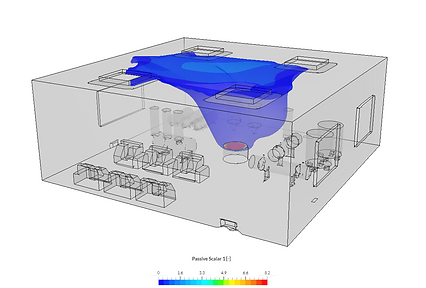
Gas Leak with Fan

Open Tank with Extractor
.png)
Two Leaks with Fan and Extractor
.png)